
What features are available on the Episoden conversation screen?
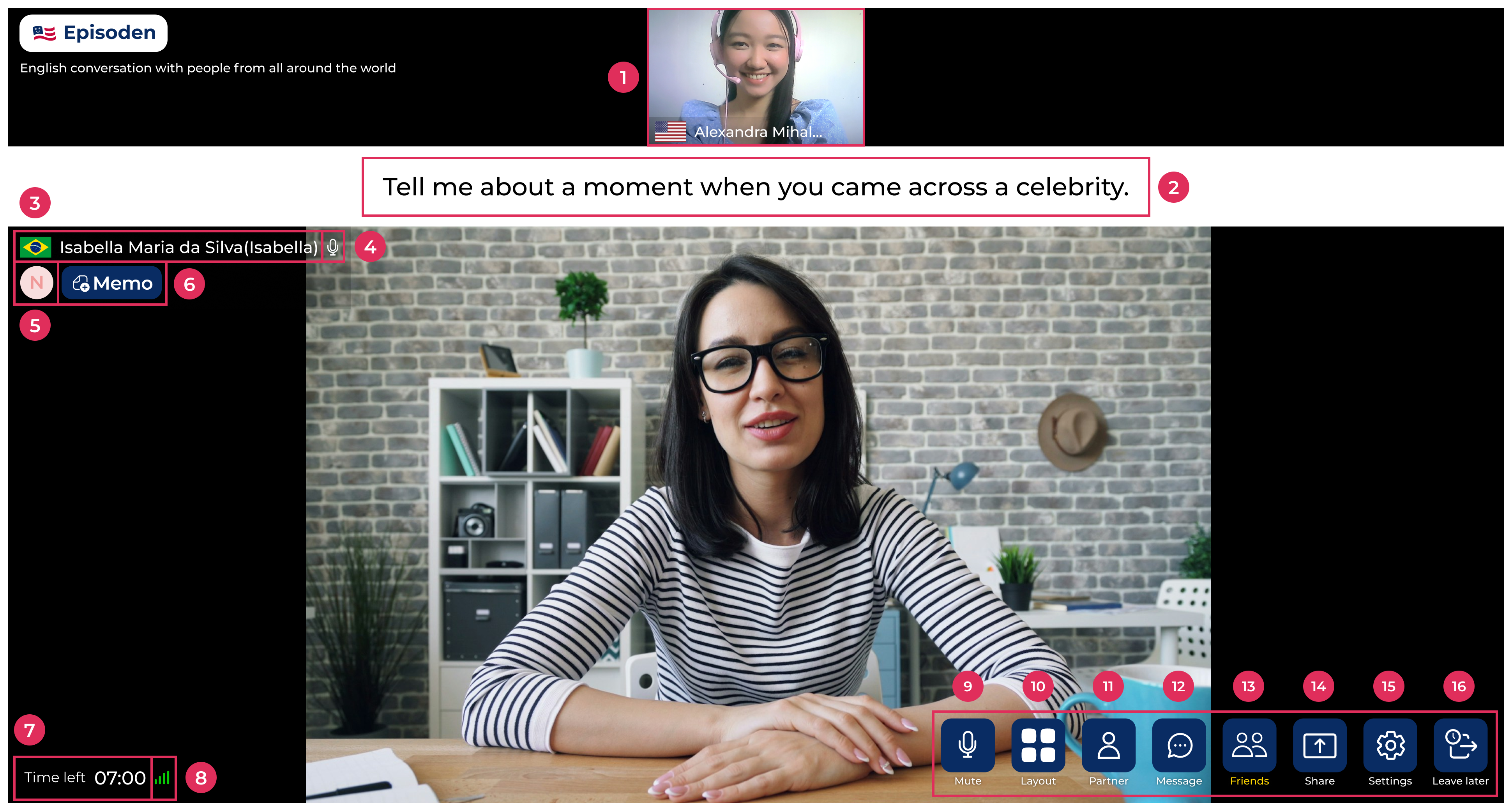
On the conversation screen, you'll find the following features:
- Your video, country, name, and microphone status
- Suggested conversation topics for the session
- Your partner's flag and name
- Your partner's microphone status
- Shows how many times you've met
- N: New-face - First time meeting
- A: Acquaintance - Second time meeting
- F: Friend - Met 3 or more times
- Memo: Memos you write about your partner (only visible to you)
- Time left: Countdown showing the remaining session time
- Network stability with your partner
- Mute: Turn your microphone on or off
- Layout: Choose between default, landscape, or portrait view
- Partner: View your partner's country and profile description
- Message: Chat feature
- Friends: Check your Buddy list, Never Meet list, and match history
- Share: Share your screen
- Settings: Customize your background, and adjust your microphone and speaker
- Leave later: Reserve an exit. After this session ends, you won't be connected to the next one